
What is a warehouse management system (WMS)?
A warehouse management system is software that controls how goods move into, through and out of your warehouse. It knows what you have, where every item is stored and which orders need picking, and it tells your team what to do next. Think of it as the warehouse's memory and to-do list in one.
A WMS sits between your sales channels and your shelves. Orders come in from your ecommerce platform or enterprise resource planning (ERP) system, and the WMS turns them into tasks: pick this, pack that, restock here. Not sure which kind you need? Read types of warehouse management systems explained.
How to use a WMS, step by step
Every WMS looks a little different, but the daily flow follows the same steps.
1. Receive goods
When a delivery arrives, your team scans each item against the purchase order. The WMS checks quantities, flags anything missing or damaged and adds the stock to your inventory, so it's available to sell straight away.
2. Put away and slot
The WMS tells your team where to store each item. Good systems use slotting rules: fast movers go close to the packing area, slow movers further away, heavy items low. Every location gets a barcode, so the system always knows what's where.
3. Pick orders
Orders flow in from your sales channels and the WMS creates pick lists, often grouped into batches or waves so one trip covers several orders. Pickers scan each item to confirm it's the right one, which is how a WMS cuts picking errors.
4. Pack and ship
At the packing station, the WMS confirms the order is complete, suggests a box size and prints the shipping label through your carrier or shipping software. The order status updates automatically, so customers get their tracking details.
5. Count, replenish and review
Instead of shutting down for a yearly stocktake, a WMS lets you run cycle counts: small, regular counts of a few locations at a time. It also flags when stock runs low, and reports on picking speed, accuracy and order turnaround, so you know where to improve next.
How a WMS improves warehouse inventory management
Warehouse inventory management is about knowing exactly what you have, where it is and when you'll run out. A WMS helps with all three:
- Real-time stock levels: every scan updates inventory, so your website never sells what you don't have
- Exact locations: no more searching shelves for the last unit of a product
- Smarter replenishment: reorder points and low-stock alerts based on how fast items actually sell
- Fewer errors: barcode scanning at every step keeps the system and the shelves in sync
- Better decisions: data on bestsellers, slow movers and dead stock helps you buy and store smarter
Inventory management and warehouse management overlap but aren't the same thing. Here's the difference between warehouse management and inventory management.
How to set up a WMS
Setting up a WMS is a project, not a quick install. Plan for these steps:
- Map your warehouse: label every location and decide your slotting rules
- Clean your data: SKUs, barcodes, dimensions and stock levels need to be right before you go live
- Connect your systems: link your ecommerce platform, ERP and shipping tools. Here's how to integrate a WMS with ecommerce and ERP
- Train your team: on scanning, exceptions and daily routines
- Go live in phases: start with one process or zone, then expand
Depending on the system and the size of your operation, this can take anywhere from a few weeks to several months.
Do you need a WMS, or something simpler?
For large, multi-site operations, a WMS is often essential. But many small and mid-sized ecommerce brands, retailers and manufacturers find a full WMS is more than they need. If you run one or a few sites, the bigger problem is usually physical: too much walking, not enough space and picking that slows down as orders grow.
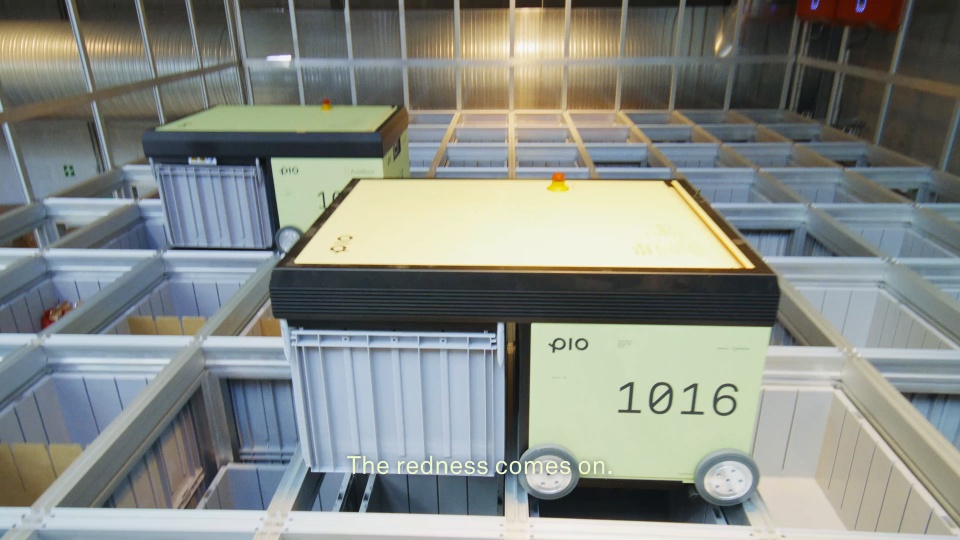
That's where Pio comes in. It combines automated cube storage with the Pio app, which covers the core WMS jobs: inventory tracking, order flow, replenishment and stocktake. Robots bring the right bin to your team at a port, so picking is up to 5x faster at 99.9% accuracy, and the Pio app connects to Shopify in minutes or to other systems through an open API. Many Pio customers run without a separate WMS, and those who have one can connect it. More in do you really need a WMS?
Frequently asked questions
What is a WMS used for?
A WMS is used to control everything that happens in a warehouse: receiving goods, storing them in the right place, picking and packing orders, shipping, and keeping inventory counts accurate in real time.
What is warehouse inventory management?
Warehouse inventory management is the process of tracking what stock you have, where it's stored and when to reorder. It covers receiving, storage locations, stock levels, cycle counts and replenishment, and it's usually run through a WMS or inventory software.
How long does it take to implement a WMS?
It depends on the system and your operation. Simple cloud systems can be running in a few weeks, while larger setups with custom integrations often take several months. Clean data and clear processes speed things up the most.
When does an ecommerce business need a WMS?
Usually when you run several warehouses, manage stock for multiple clients, or need detailed reporting and billing that your ecommerce platform can't handle. If you run one or a few sites, your ecommerce platform plus simple inventory tools, or an automated system like Pio with core WMS functions built into the Pio app, is often enough.